Stock counts on your phone
In LineerStok, stock counts are done on the phone. When a count starts, the branch's stock is locked, so the figures do not change while you count. You see the expected quantity and the variance for each product as you go. When you approve the count, the variances are applied to stock, and any shortage is recorded as waste, with its cost.
What you can do
Stock is locked during the count
While a count is open, stock in, stock out and receiving are blocked at that branch. The figure you count and the record belong to the same moment.
Expected quantity and variance
As soon as you enter the quantity you counted, the app shows the difference from the recorded quantity.
Batch-by-batch counting
Products with expiry tracking are counted batch by batch. You know how much is left of the goods with each date.
Approval corrects stock
When you approve the count, the variances are applied to stock and a stock count movement is written for each product.
Shortages go to the waste records
A shortage is recorded as waste with the reason count variance, at that day's cost.
Screens from the app
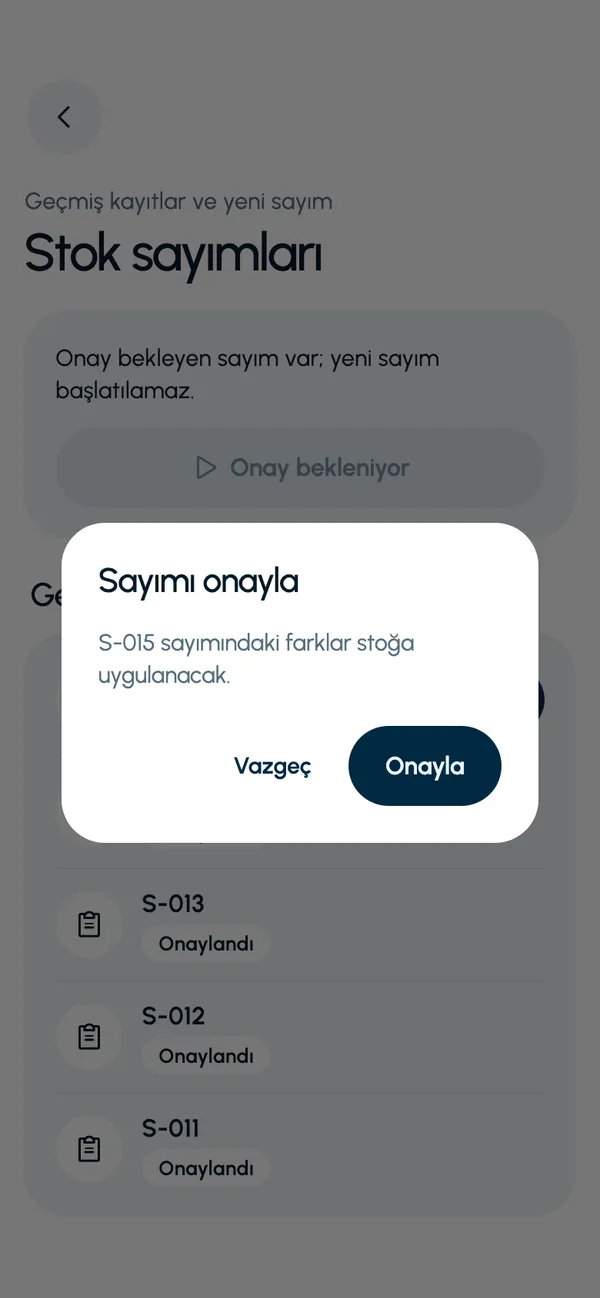
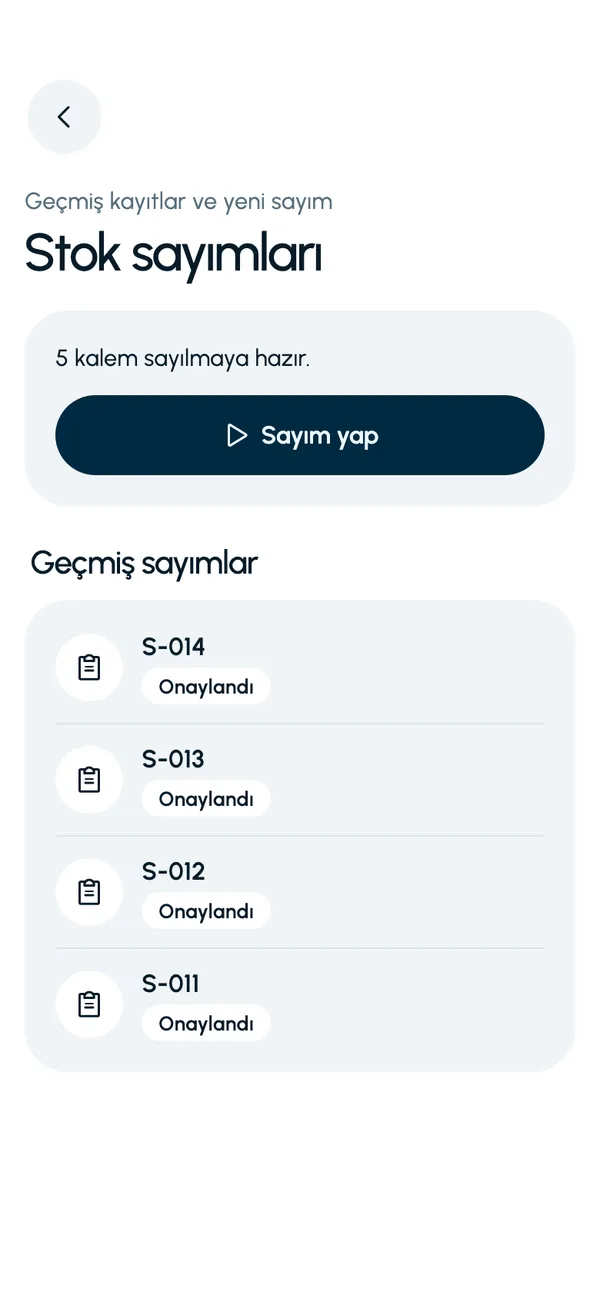
These are real screens from the app. The app interface is in Turkish; the business and products shown are sample data.
How it works
- 1
Start the count
Open the count from the Stock counts screen (Stok sayımları) on the Operations tab. Branch stock is locked.
- 2
Count the shelves
Enter the quantity you counted for each product. The variance appears next to the row.
- 3
Save the count
The record waits as a count pending approval. Review the variances once more.
- 4
Approve
On approval, stock is corrected, shortages move to the waste records and the lock is lifted.


At a glance
- Scope
- Counts are per branch
- During the count
- Stock in, stock out and receiving are blocked
- After approval
- Stock is corrected, a movement is written, shortages become waste
- At the same time
- One open count per branch
Good to know
- A new count cannot be opened while another count is pending approval.
- Counting is done by entering quantities in the product list. Counting by scanning barcodes is not available yet.
- The count is started and approved by the branch's authorized user.
Frequently asked questions
Can stock movements be made during a count?
No. While a count is open, stock in, stock out and receiving of purchase deliveries are blocked at that branch. The lock is lifted when the count is approved.
What happens to the variances found in a count?
When you approve the count, the variances are applied to stock. A shortage is recorded as waste with the reason count variance, at its unit cost, and appears with its amount on the waste screen.
Can I have two counts open at once?
A branch can have only one open count at a time. A new one cannot be started until the count pending approval is completed.
How are products with expiry dates counted?
Batch by batch. You enter the quantity of each batch separately; the app requires the batch total to match the product total.


Let us set up your stock together
We will walk you through the app with your own products and branches. The demo is free and takes about 30 minutes.