Stock movements and transaction history
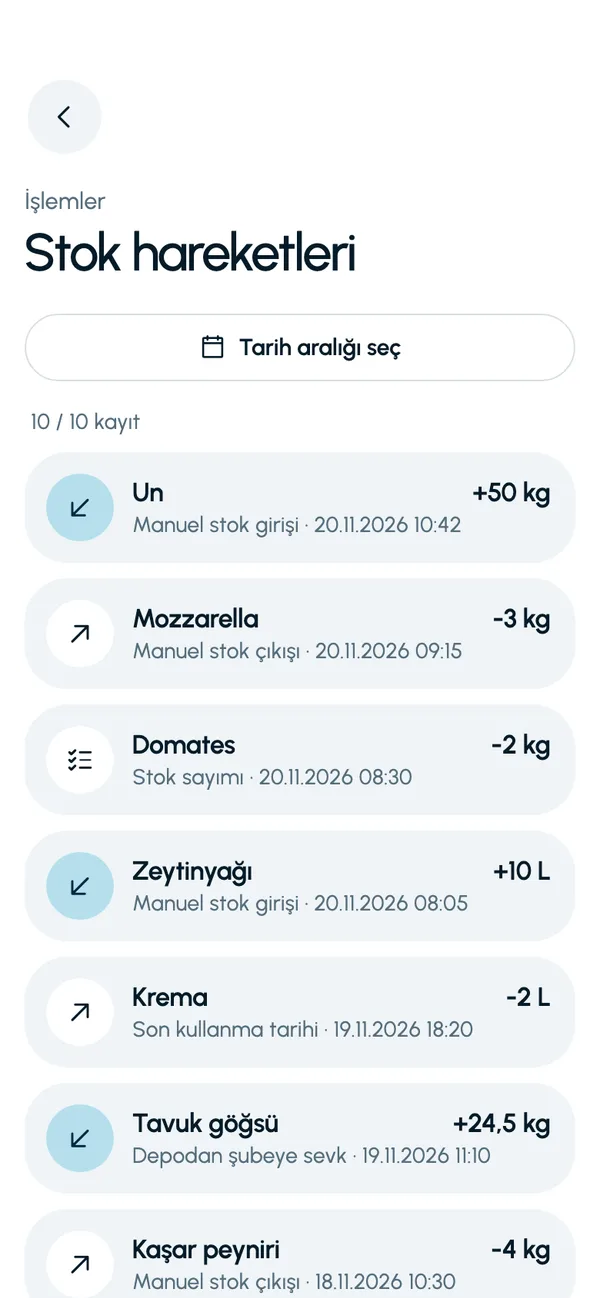
In LineerStok, every transaction that changes stock is recorded as a stock movement: manual stock in and stock out, customer sale, supplier delivery, transfer from a warehouse and stock count. Each movement carries its date, time, reason and the unit cost at the time of the transaction. You can look back and see why a product's quantity went down.
What you can do
Seven movement types
Manual stock in, manual stock out, customer sale, supplier delivery, warehouse-to-branch transfer, opening stock and stock count are each named separately.
Filter by date range
List the movements between any two dates you choose.
Movement details
Transaction, date and time, unit cost, total amount and, where present, the customer and count code appear on one screen.
Cost is stored as it was
Even if the unit cost changes later, the amount of an old movement does not change.
Screens from the app
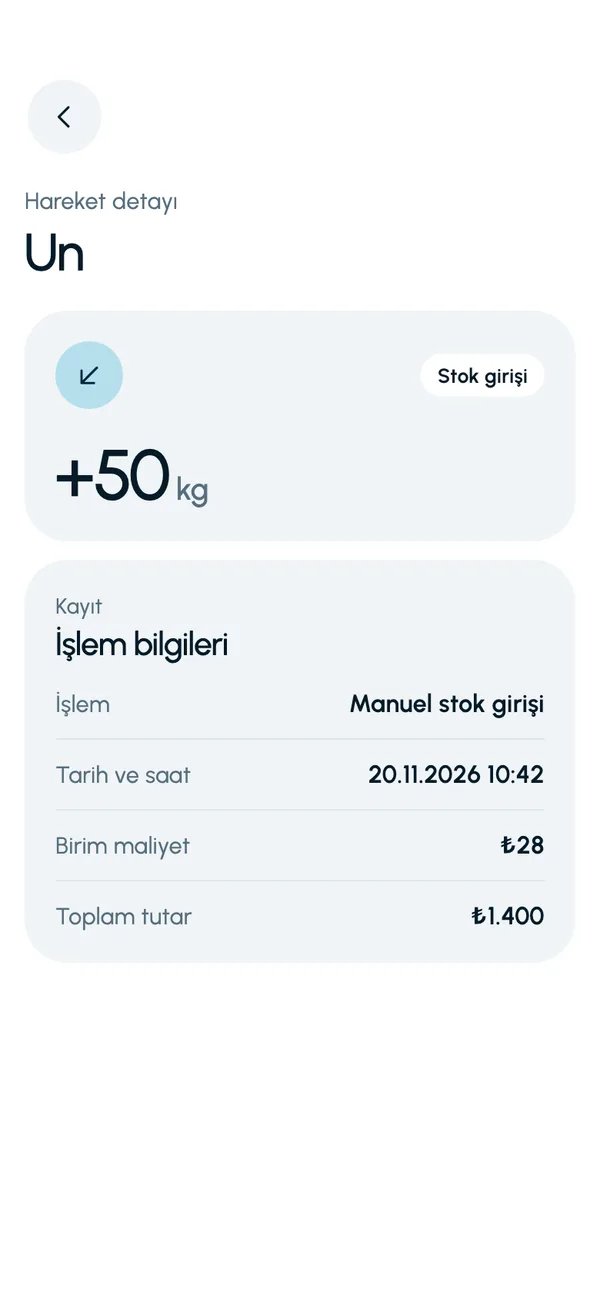
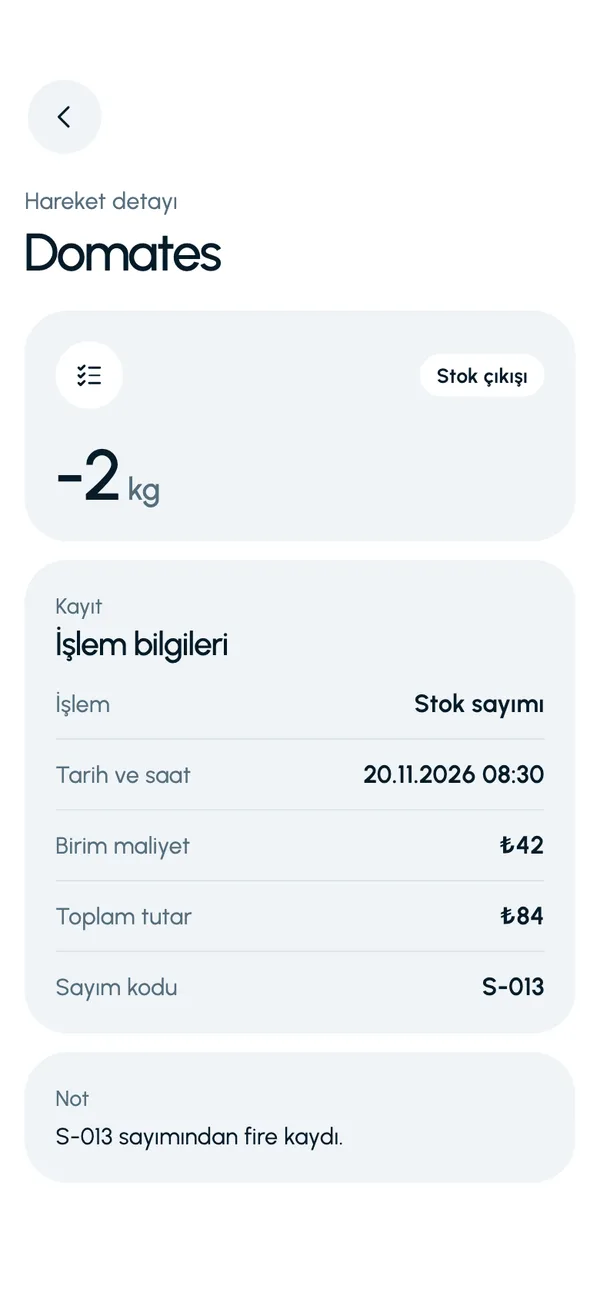
These are real screens from the app. The app interface is in Turkish; the business and products shown are sample data.
How it works
- 1
Do your transaction
Stock in, stock out, receiving, transfer or count. The movement is written automatically.
- 2
Open the movements
Go to Stock movements (Stok hareketleri) from the Operations tab (İşlemler).
- 3
Choose the range
Narrow the list with a date range.
- 4
Look at the details
Tap a movement to see its reason, its amount and the linked record.

At a glance
- Movement types
- 7
- Filter
- Date range
- Detail
- Transaction, date and time, unit cost, total, customer, count code
- On the Summary screen
- Recent stock movements
Good to know
- Movements are viewed in the app; the movement list is not exported at present.
- Movements cannot be edited or deleted afterwards. A correction is made with a new movement.
Frequently asked questions
Can I see why a product's quantity went down?
Yes. In stock movements, every stock out is kept with its reason: manual stock out, customer sale or stock count variance. The date, time and amount are recorded too.
Do the amounts of past movements change when the price changes?
No. Each movement stores the unit cost at the time of the transaction. A later cost update does not affect old records.
Can I export movements to Excel?
Not at present. Export is available for inventory: products, stock and batches. Movements are viewed in the app, filtered by date range.


Let us set up your stock together
We will walk you through the app with your own products and branches. The demo is free and takes about 30 minutes.